A few months ago, I was lucky enough to attend the very excellent La Conf with a few colleagues from HouseTrip. More on the actual conference in another post…
At some point during our trip I cooked up an idea for the popular lolcommits gem.
lolcommits takes a snapshot with your webcam every time you git commit code, and archives a lolcat style image with it. Git blame has never been so much fun.
My crazy plan was to try and make this even more fun, capturing video and converting that to an animated lolcommit gif!
Scope it!
So my change would add one new command line option. Calling lolcommits with `—animate=3`, a 3 second video would be captured, converted and annotated with your commit message. Without `—animate`, or `—animate=0` lolcommits would operate as normal, snapping a photo.
I could have added more options; video width, height, frame rate, optimisation params etc. But I wanted to keep the implementation (and my pull-request) simple, so I chose sensible defaults for these values and moved on.
Lolcommits has a framework for plugins where additional actions can be made on captured images (share with twitter, upload to a server etc.) I wanted this feature to stay compatible with plugins, and since I was dealing with a change to the initial capturing process, it didn’t make sense to to code this as a “post capture” plugin.
Also since my time was limited, I would only be targeting Mac/OSX for now (I could always add support for Linux or Windows in a future PR).
Code it!
After forking and cloning the repository, I found `bin/lolcommits` the best place to start (the main executable). Written in Ruby this code is well structured and easy to follow. Choice is used to handle command line arguments, so its pretty clear how each option executes.
After option handling in `bin/lolcommits` execution moves to the runner where a `Capture` class is instantiated and `capture` is called.
The gem organises capturing into `Capture` classes for each platform it supports. Taking the same approach I chose to implement my own, `CaptureMacAnimated`.
I followed the gem’s convention for running and logging system calls (with Methadone::CLILogging) and then (on the command line) I started experimenting with different ways to create an animated gif. The approach I eventually settled on was this;
- Created a new command line app to capture video, VideoSnap (uses the QTKit framework)
- Capture video in 320×240 AVI format with no audio
- Use ffmpeg (already an optional requirement for this gem) to build a folder full of png frames from this video
- Use ImageMagick to build an animated gif from these frames (choosing every 3rd frame) and optimising the gif, to keep file size low
- Pass the generated animated gif onto lolcommits in the `snapshot_location` to be annotated with the commit message
Developing this feature I had hoped to use wacaw a command line video capturing tool for the Mac. Unfortunately its an old SourceForge project (that doesn’t seem to be maintained) and it fails to work with some of the latest Mac hardware. After a little effort I released VideoSnap an alternative using the latest QTKit framework. It accepts a variety of options and is built in the Unix style of doing one thing well. It even has a `-d` option that maps nicely to an existing lolcommits option `—device`.
You can see this all implemented here, lib/lolcommits/capture_mac_animated.rb
Some more notes
- I use the seq command to pass every 3rd frame to convert
- Different browsers (and OSX preview) will play animated gifs at different rates. Choosing every 3rd frame and a delay of `9` gave a reasonable playback speed on the browsers I chose to test with
- Lolcommits already had a precedent for bundling executables; which meant including the wacaw binary was trivial
Ship it!
After updating the README, adding some plumbing for option handling, I ran the tests and finally submitted the PR just a few days ago! Fingers crossed it will be reviewed or accepted soon!
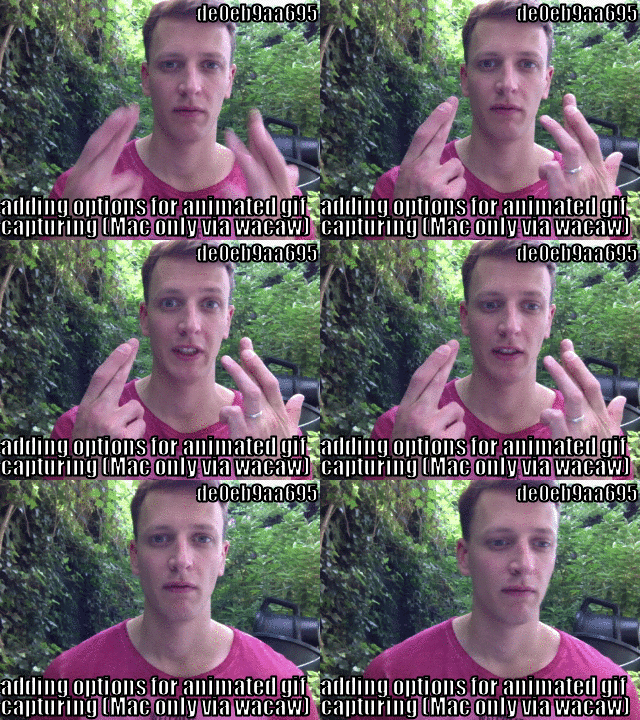
Get your animated lolcommits right now!
mroth has been reviewing the plugin and with a few tweaks from me, it could be merged for a new gem release soon. Lolcommits v0.5.0 has now been released! Simply follow the README to enable and configure animated gif capturing.
Finally, use the fork!
Depending on your machine, generating animated gifs is much slower than snapping a photo. And since this gem hooks into all post-commits, this change could quickly result in some angry impatient developers. To help with this I’ve submitted another PR that adds a `—fork` option.
With `—fork` you get your prompt back immediately after git commit, and image capturing/processing happens in a background thread.
If you made it this far, I hope you enjoyed this walk through. If you start using animated lolcommits in your repositories let me know!